Project overview
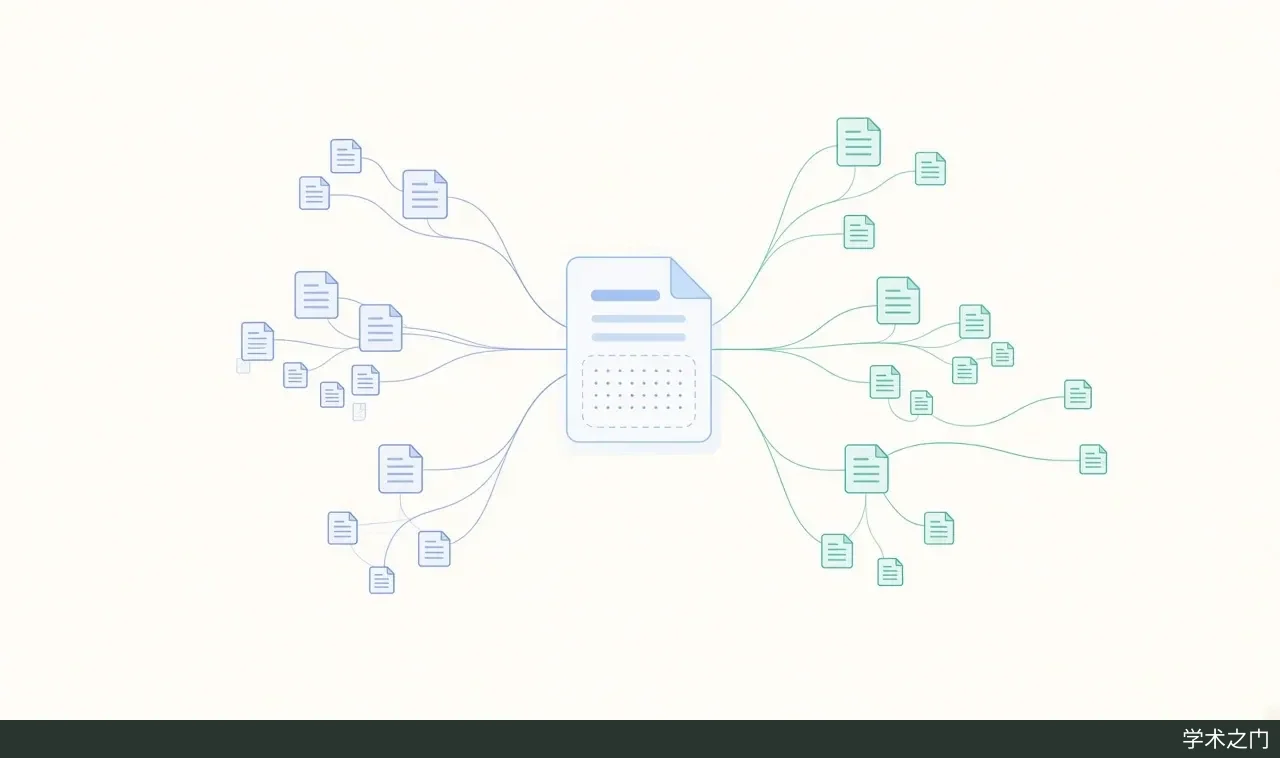
Figure: AI-generated schematic of a citation network expanding outward from one seed paper—not a ResearchRabbit UI screenshot.
ResearchRabbit is an online literature-discovery tool: after you pick one or a few seed papers, it finds related work along citations, cited-by links, co-authorship, and title/abstract semantic similarity, shown as a network graph and a list, with collection organizing and sharing. The free tier allows up to 50 seeds per search; paid RR+ defaults to USD 10 per month.
ResearchRabbit was originally built by a U.S. team. On 8 May 2025 New Zealand company Litmaps announced its acquisition in a press release. The new version that launched on 20 October 2025 (U.S. Eastern Time) expanded the database through the Litmaps partnership, switched to a round-by-round expandable search flow, added built-in notes and a paid RR+ tier, and kept the free tier. It is a logged-in online service, not open-source software; the site and help pages checked for this article do not provide source code or an open-source license.
Per the official help article on the search algorithm (19 November 2025), every search starts from seed papers in two steps: nominate candidates, then rank them. Candidates must be “connected” to the seeds—most often one cites the other, also shared references or citing papers (bibliographic coupling and co-citation), co-authors, and sometimes inferred links from title/abstract semantic similarity; ranking combines the same kinds of links. Ranking rules are fixed; users cannot tune them. So it is not co-citation or coupling alone. Search settings can restrict candidates to “similar,” “references only,” or “citing papers only,” or switch to finding authors. Data come from Crossref, Semantic Scholar, and OpenAlex; the database page (14 June 2026) claims over 310 million articles, updated weekly; only entries with public metadata are included—paywalled papers appear if metadata is public; papers without public metadata, and their citation links, do not.
Pricing follows the site pricing page (checked 25 October 2026). Free is listed at USD 0, with unlimited libraries and collections, shared collection collaboration, and up to 50 seed papers per search. RR+ defaults to USD 10 per month for the U.S., U.K., Canada, and similar markets, with purchasing-power discounts in 100+ other countries; billed monthly, cancel anytime, access continues through the paid period. RR+ allows up to 300 seeds, advanced search controls, separate projects by topic, and Signals alerts for research-integrity cues; advanced search can filter candidates by keyword, publication date, SJR quartile, journal h-index, open access, and retraction status—keyword filters do not support Boolean operators. Institutional plans have no public price and list volume discounts, LibKey library integration, usage stats, and dedicated support.
Why it helps
It fits the stage when you already have one or two key papers but have not mapped the field’s boundary: start from known work, follow the citation network to papers keyword search may miss, then organize results in collections and share with collaborators. Recommendations rest on citation, author, and semantic links, and coverage is limited by public metadata, so treat it as a supplement to database search; for systematic reviews that need reproducible search strings, keep databases primary.
Expanding round by round from seed papers
Per the help docs: after login, search by keyword, title, or DOI and pick 1–3 representative papers as seeds; you can also use an existing collection or import BibTeX, RIS, or CSV from Zotero, Mendeley, or EndNote. Select seeds and click “Find Related Articles” (formerly Similar Work); results appear as a network and a list. Tick useful papers back into the search and expand another round for layered discovery; in the new version search and collections are separate, and papers from different collections can mix as seeds. To trace methods backward or follow later work, switch settings to references only or citing papers only.
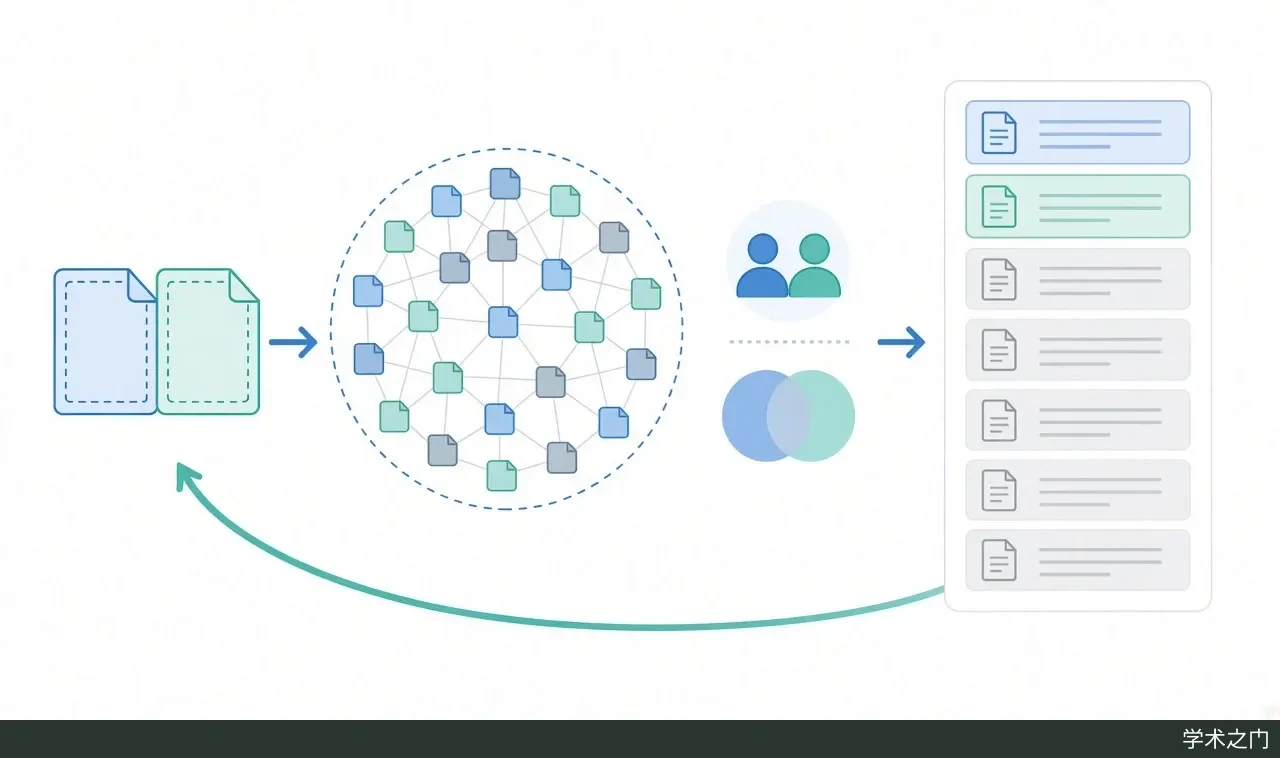
Figure: AI-generated schematic from ResearchRabbit help-doc description—seeds first gather connected candidates, then ranking by citation, author, and semantic links; selected results can return as seeds for another round.
Differences from Connected Papers and Litmaps
All three start from seed papers; they differ mainly in recommendation basis and graph layout. Connected Papers’ about page says similarity rests on co-citation and bibliographic coupling; each graph picks a few dozen papers most strongly linked to the origin from about 50,000 analyzed papers, laid out with a force-directed graph, using the Semantic Scholar corpus. ResearchRabbit looks beyond shared citations: candidates and ranking also use direct citation, co-authorship, and semantic similarity, and it encourages feeding results back as seeds round by round. Litmaps defaults to a publication-date × citation-count plane and can switch to a co-citation network (free) or semantic and collaborator graphs (Pro); its free search allows up to 20 inputs. Litmaps acquired ResearchRabbit in 2025; the new ResearchRabbit database expansion comes from that partnership, and both products still have separate pricing pages.
Export and limits
To export, open a collection in the library, select papers (across collections if needed), and choose BibTeX, RIS, or CSV for Zotero, EndNote, or Mendeley; collections can also share via public link or invite editors and viewers, including notes and sub-collections. Zotero integration is one-way for now: after linking accounts you can import from Zotero collections; returning to Zotero requires BibTeX export—official docs say two-way sync is still in development. For saving the network graph, the official advice is screenshots; papers or reports that use them may need to credit the tool. Limits: coverage depends on public metadata, so new papers or papers without public reference lists may be missing, and citation counts can differ from Google Scholar and similar sites; the official database note acknowledges that citation-based search can be skewed by citation manipulation, predatory journals, and unreliable research; ranking rules cannot be adjusted and details are not public.
References
-
ResearchRabbit. Pricing. Page undated; checked 2026-10-25.
-
ResearchRabbit Guides. What's behind ResearchRabbit's search algorithm?. 2025-11-19.
-
ResearchRabbit Guides. The ResearchRabbit Database. 2026-06-14.
-
ResearchRabbit Guides. How do I search "Similar Work" in the new ResearchRabbit?. 2025-10-13.
-
ResearchRabbit Guides. Welcome to the new ResearchRabbit!. 2025-10-17.
-
ResearchRabbit Guides. How to share papers and collections. 2026-06-30.
-
ResearchRabbit Guides. Using the Zotero Importer in ResearchRabbit. Update date unmarked; checked 2026-10-25.
-
Litmaps. NZ Startup Litmaps Acquires US Rival And Raises $1M To Accelerate AI-Driven Research Worldwide. Press release, 2025-05-08.
-
Litmaps Help Center. Use and Edit Litmaps Visualization. Update date unmarked; checked 2026-10-25.
-
Litmaps. Litmaps Pricing. Checked 2026-10-25.
-
Connected Papers. About. Checked 2026-10-25.
-
Academic Gateway · a living guide for scholars in the intelligent age
-
Information compiled and published by the Scholay academic one-stop platform; report infringement for takedown.
-
Also published on Enter Scholar, a scholars’ community for the intelligent age