Project overview
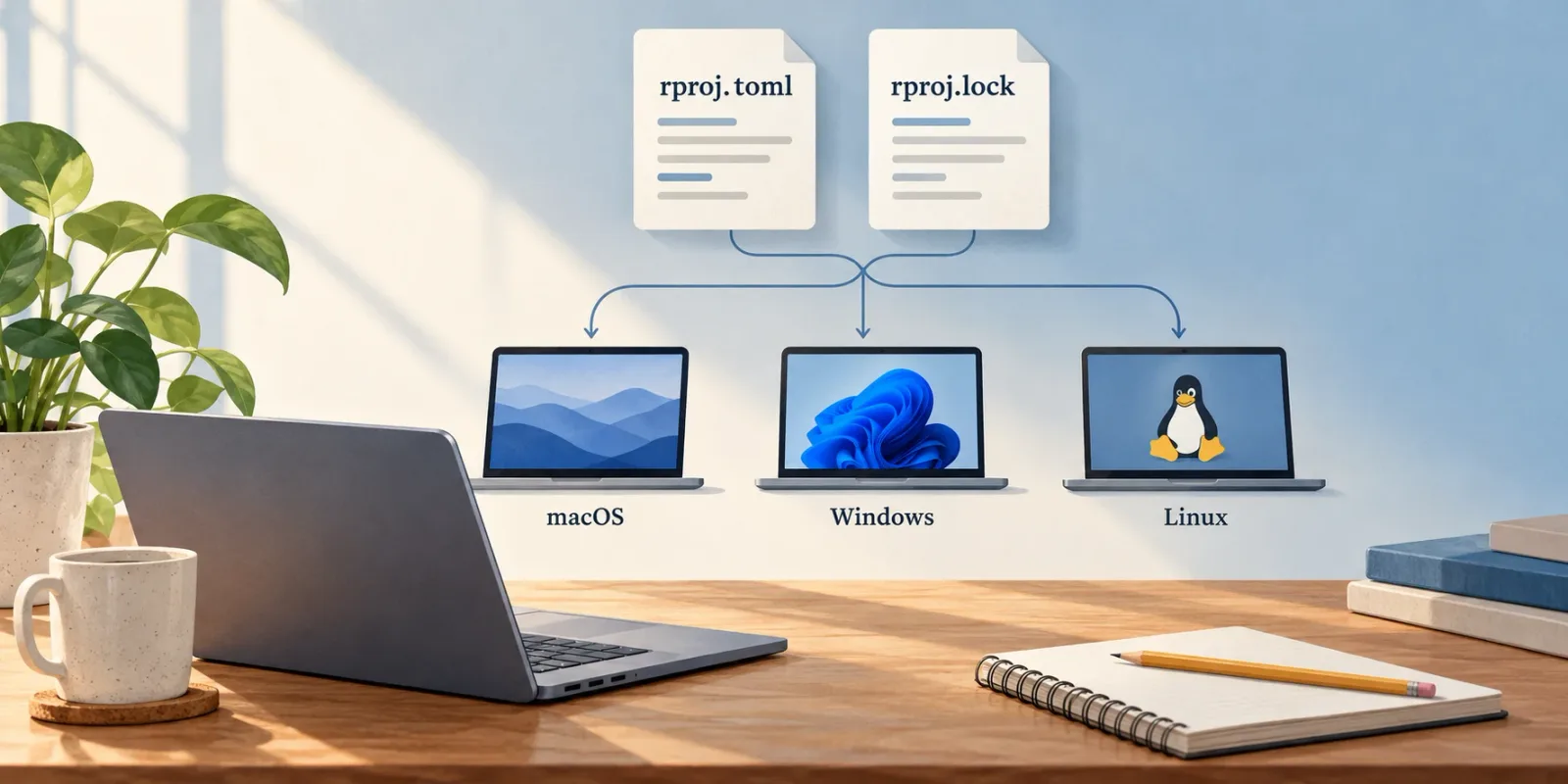
Once an R script is handed to a collaborator, package versions and local library paths often become hidden premises. rig 0.11.0's rig proj tries to declare dependencies in rproj.toml, record resolution in rproj.lock, and sync a project library for the target platform so research code ships with its environment notes. It remains experimental; this article is a documentation check and was not installed or run locally.
Academic value
rig is Posit / r-lib's open-source tool for installing R, managing packages, and managing projects, under the MIT license. v0.11.0 was released on 7 October 2026; Gábor Csárdi's project-management blog post appeared on 15 October—two different dates. Release page[3]; official repository[4].
rproj.toml states what the project needs, such as an R version range and package constraints; rproj.lock records exact resolved package versions and download URLs. Compared with hand-tuning library paths, this turns environment requirements into files that can be committed and audited. It also offers import paths from DESCRIPTION and renv.lock, but that should not be read as a lossless drop-in replacement for an existing renv workflow. R projects guide[2].
From declaring dependencies to running scripts
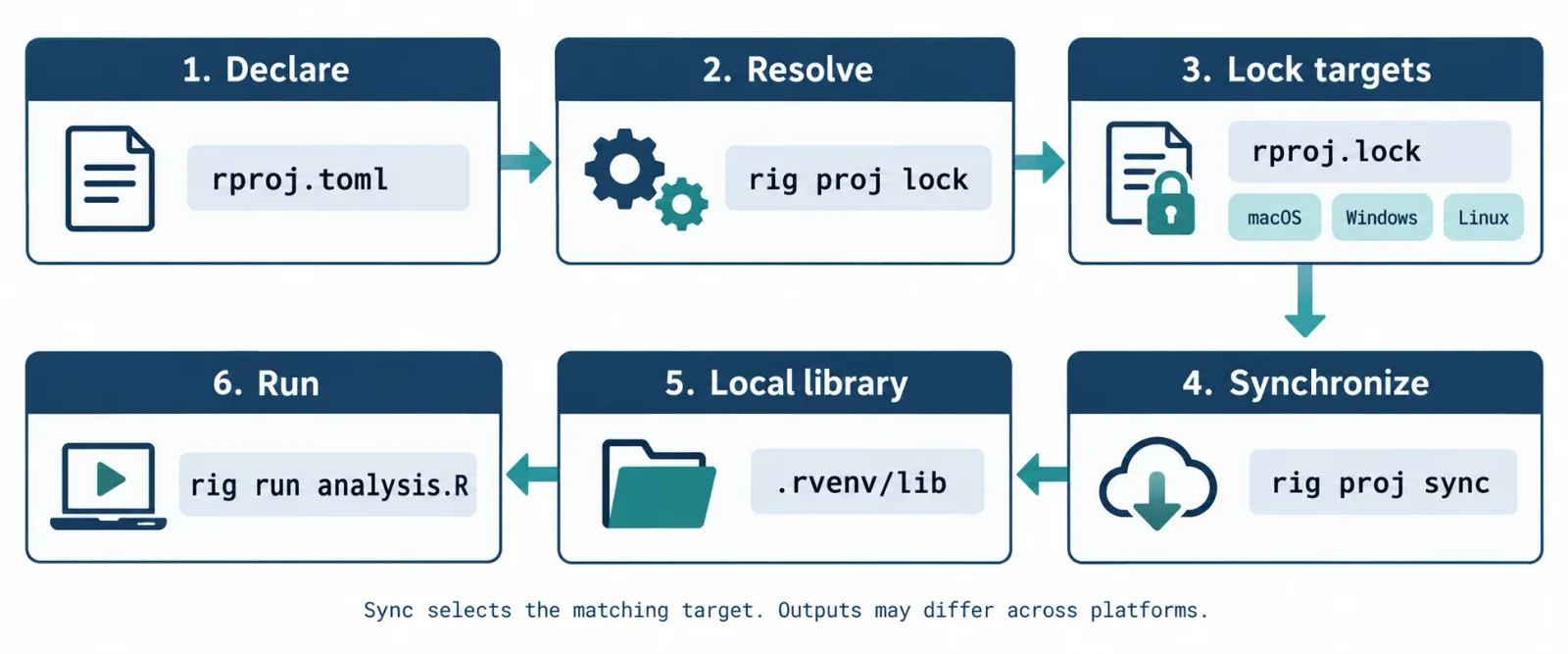
The following command examples are compiled from the official docs and were not run on this machine. First install rig from the official installation guide, then in the research project directory run:
rig proj init
rig proj add dplyr cli
rig proj lock
rig proj sync
rig run
rig run analysis.R
init creates the manifest and project config; add adds dependencies and also triggers lock and sync. The explicit lock and sync listed here are to explain each role; day-to-day use need not repeat them mechanically. After hand-editing the manifest, use lock to refresh resolution and sync to bring the project library in line with the lock file; rig run starts interactive R in the project, and rig run analysis.R runs a script, locking and syncing first when needed. Official guide[2].
For collaboration, commit rproj.toml, rproj.lock, and the config files created at init; .rvenv is a machine-local environment and should not be committed as a shared library. Projects with an existing DESCRIPTION can start with rig proj import; those with renv.lock can use rig proj renv import; verify conversion results on a copy or branch first. Official guide[2].
Cross-platform locking and single-file scripts
A lock file can hold targets for several R versions and platforms; sync picks the target that matches the current machine. Teams should explicitly list the systems and R versions they need to support, rather than reading "cross-platform" as "any machine can run it as-is." Platforms and R versions can be configured under [tool.rig] in the manifest. Official guide[2].
This rests on repository metadata: projects default to CRAN and Bioconductor with P3M (Posit Public Package Manager) metadata, and private repositories can be configured in the manifest; projects ignore the global rig repos setting. P3M supplies historical package versions and matching binary builds to help lock downloadable artifacts. Package availability and system dependencies still need checking for each target environment; a lock file is not a snapshot of an entire machine. Official series[1]; repository notes[4].
If the research task is a single R file, declare TOML dependencies in comments between # /// script and # ///, then run with rig run script.R. For exact versions run rig proj lock --script script.R and deliver the generated script.R.lock with the script; declaring version ranges alone does not replace locking. Official series[1].
Boundaries of the experimental stage
As of this check, the official guide still marks rig proj as Experimental; commands, manifest format, and lock-file format may change; conversions among DESCRIPTION, renv.lock, and the manifest may also lose information. Groups with a stable renv workflow should evaluate import, sync, and run on a separate project before deciding to migrate; support for import alone does not imply full compatibility. Official guide[2].
For scholars, what is worth watching is tying "what the project needs," "what is actually locked," and "how to run" into one workflow. Before relying on it for paper reproduction, still verify environment setup, script output, and data paths on the systems you plan to support. This article is a documentation check; it was not installed or run locally, and cross-platform result consistency was not verified.
References
-
Gábor Csárdi: rig 0.11.0 part three: R projects, 2026-10-15.
-
rig official: R projects guide; page undated, verified 2026-10-26.
-
r-lib: rig 0.11.0 release, 2026-10-07.
-
r-lib: rig official repository; MIT license text, verified 2026-10-26.
-
Enter Academia · a living guide for scholars in the age of AI
-
Information compiled and published by the Scholay academic platform; please report any copyright concerns for takedown.
-
Also published on EnterScholar, a community for scholars in the age of AI.