Reduce a blank plot to something another person can see
Only the axes remain where there was a histogram the night before. Sending an entire analysis directory makes it hard to isolate the input, plotting step or environment at fault. The ROOT Forum supports discussion of ROOT use and programming. Its About page lists bellenot, Danilo, svcdiscourse and Axel as administrators, identifying svcdiscourse as a service account. At the time of reading the moderator roster contained 29 accounts, including linev, pcanal, jblomer, jonas and couet. The About page maintains the full roster. Ordinary questions can go to a public category.[1][3]
Bertrand Bellenot’s pinned post sets out eight tips. First, provide the ROOT version, platform and compiler. If an upgrade coincided with the change, give the old and new versions and say whether you ran interactive commands or a compiled program. Second, avoid all caps. Third, give the title an object and an observable symptom. Mentioning that the histogram goes blank after reopening the file also helps people searching older discussions.[3]
Fourth, provide a self-contained reproducer with data if needed, or describe the steps. Fifth, share only the code required. Try reducing the script to creating a histogram, filling it with a few shareable values, saving, reopening and drawing. Run it after each removal. If the symptom disappears, put that step back. This tells readers what to start with and which operations produce the same result, something a final screenshot leaves out.[3][4]
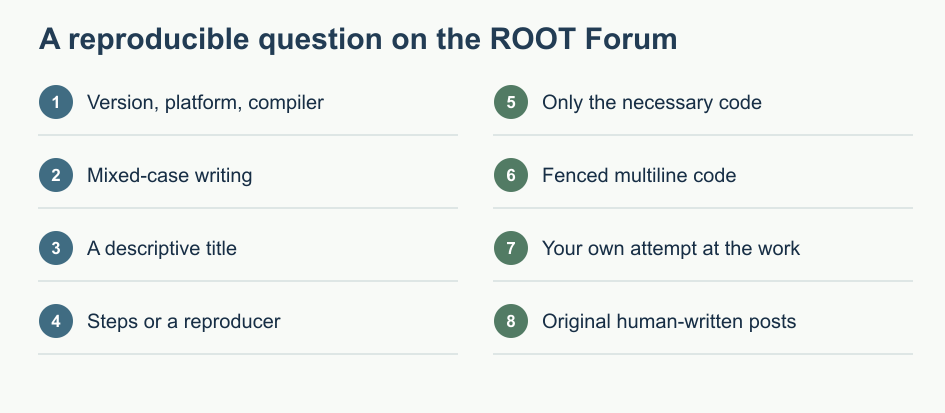
Figure: Eight checks from the ROOT Forum posting tips.
Decide what the reader needs
Sixth, surround multiline code with triple backticks so indentation and the failing line remain legible. Seventh, avoid asking others to complete the work, particularly tests, quizzes and graded assignments. Explain what you tried, expected and observed. Eighth, the pinned post says identified AI-generated posts, spam and bots will be banned and blocked. Use your own account of an actual run and the output you personally obtained when contributing there.[3][4]
If unsure where a question belongs, try Newbie. Search first, then describe the steps, expectations and result, including operating system, version, installation source and exact error. If another input is suggested, compare both outcomes in the same topic. The category says a question can be hidden on request after an answer. Prepare the example for public reading and remove private directories, unpublished data and other people’s contact details.[2][4]
Search engines index discussions. When you disagree with an explanation, give a test that distinguishes it from yours. Choose an appropriate category, avoid posting the same content in multiple places and flag misconduct. Check permission before sharing someone else’s data or image. Can a stranger reproduce the blank plot from the public materials and identify the step you need help understanding?[2][3]