Project overview
An image may open as only a cat, while the file still holds another archive. Programming Historian’s free, peer-reviewed lesson uses a hex viewer to walk humanities scholars from a file’s raw bytes—recognizing signatures, comparing formats—and to apply reverse reading to born-digital source research.
Practical value
The lesson is by Adrian Demleitner and Daniel Gammenthaler, published 7 August 2026 under CC BY 4.0. It suits digital humanities, archives, and contemporary-history researchers: compared with the IIIF image-interoperability lesson covered on this site, the focus here is byte structure and format history.
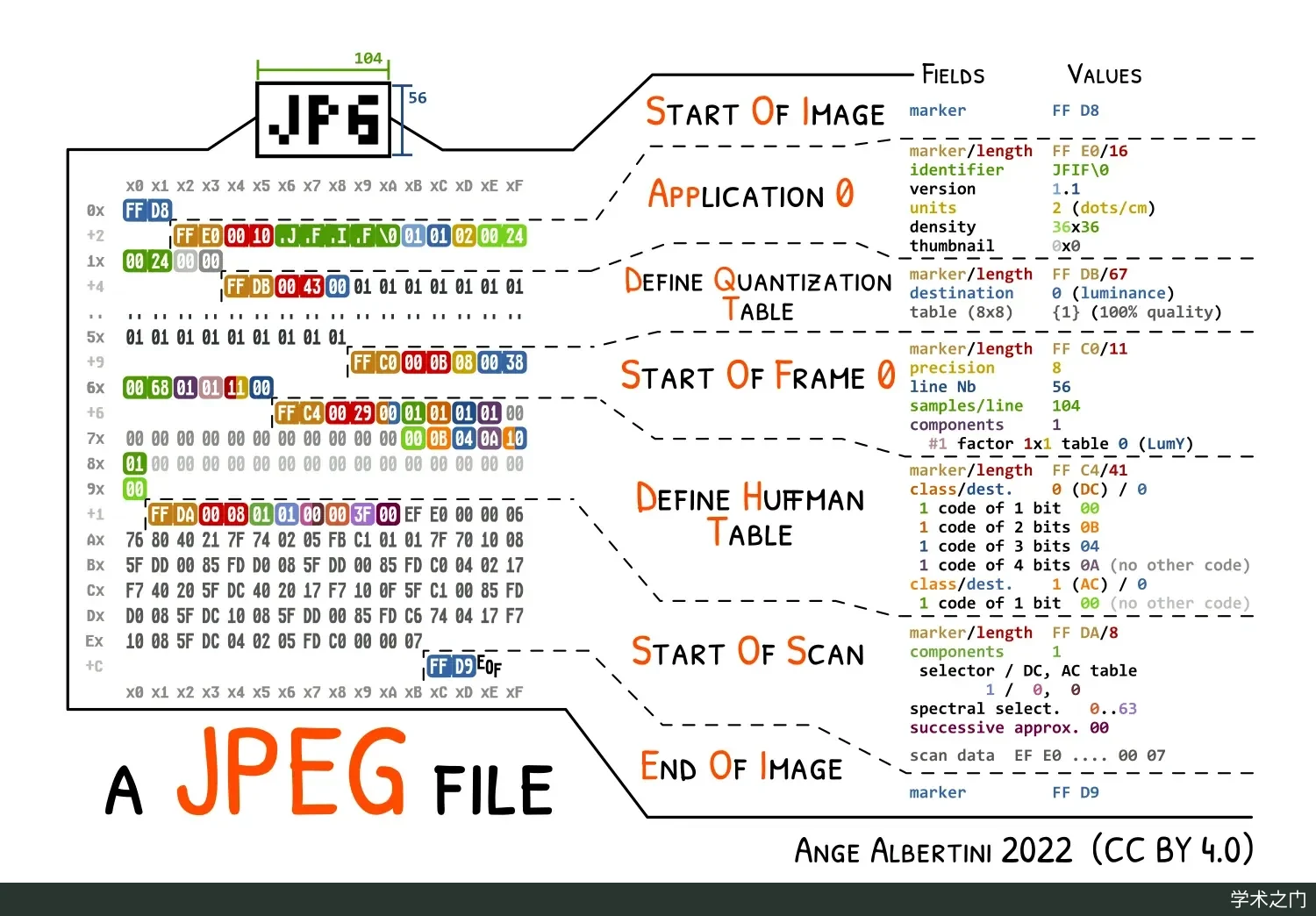
Historical reading at the byte layer
Born-digital sources include digital photographs, software, and databases—objects with no prior physical original. The lesson uses “screen essentialism” as a reminder: what an application displays is only one presentation of a digital object; how the file is encoded, stored, and interpreted by different software also shapes historical research. Reverse engineering here is a historical method: asking what an object means from its composition and structure.
From JPEG to document formats
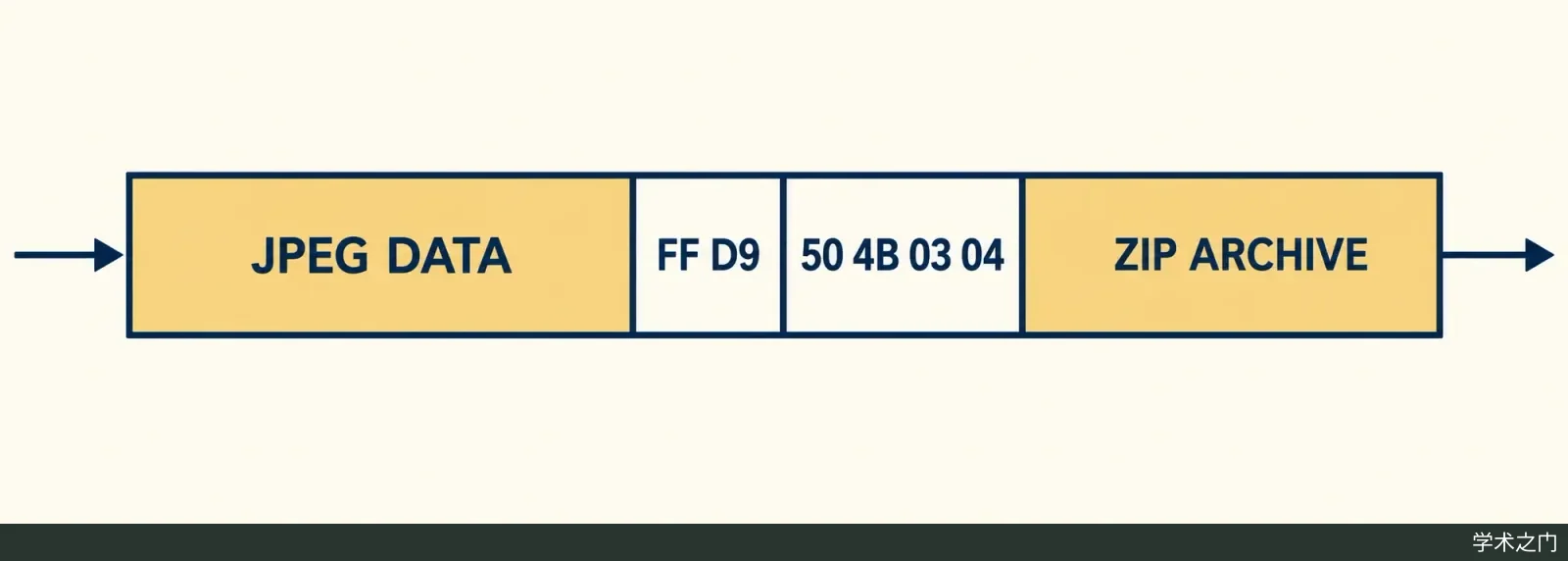
The lesson uses the command-line hex viewer hexyl, which shows file bytes as hexadecimal numbers and combines offsets with readable characters to find structural markers. In the first case, an ordinary image viewer shows a cat photo; the byte view shows the ZIP signature 50 4b 03 04 after the JPEG end-of-image marker ff d9. The same teaching file can be read as an image and also contains archived text: extension and on-screen presentation do not exhaust file contents.
The second case compares older .doc with .docx: the former uses a complex proprietary binary structure; the latter uses a ZIP container that holds XML. The comparison shows that format design shapes how researchers view content and preserve records over time. Both examples turn format history into something observable: for the same kind of document, different internal organization changes what can be seen, extracted, and understood.
Entry points and further reading
The lesson ships practice files and copyable commands for both cases and recommends installing hexyl; packages exist for Linux, macOS, and Windows. Basic terminal skills help you follow along; difficulty is marked Medium. The method also applies to checking file structure in scanned images or OCR PDFs. The lesson aims at beginners; further study can continue from Next Steps resources such as Radare2, RetroDebugger, and ImHex Patterns.
References
-
Adrian Demleitner and Daniel Gammenthaler. Reverse Engineering Born-Digital Artefacts: A Beginner's Guide. Programming Historian 15, 7 August 2026. DOI: 10.46430/phen0134.
-
Academic Gateway · a living guide for scholars in the intelligent age
-
Information compiled and published by the Scholay academic one-stop platform; report infringement for takedown.
-
Also published on Enter Scholar, a scholars’ community for the intelligent age