When surveys must keep response data on your own servers, LimeSurvey Community Edition (CE) can be installed on a host you control. The manuals first separate LimeSurvey from LimeSurvey GmbH: the former is web-server survey software freely distributed under GNU GPL v2 or later; the latter coordinates development and sells services such as cloud hosting.[1] Under the GPL, within its terms, anyone may use, modify, and distribute it for commercial, private, or educational purposes.[1] The GNU GPL, version 2 or later, permits redistribution and modification. The software is supplied without warranty, including implied warranties of merchantability or fitness for a particular purpose.[2] Below covers obtaining CE, server requirements, the main install steps, and exporting results.[1][2]
Choosing Community Edition vs Cloud
If installation feels too complex or the team lacks server administration skills, LimeSurvey Cloud provides a hosted, maintained instance. Choose Cloud to skip local downloads and configuration, starting from a free plan and upgrading paid plans later—prices are those shown at signup.[1] CE fits teams that want the software on their own server or a local test machine: community Downloads supplies a .zip and SHA256 checksum.[1] The downloads page currently lists Community Edition 7.11.0 and states version 7 requires PHP 8.2.27 or newer; the same page’s “What’s new in version 7” also lists PHP 8.1 (or later) compatibility among features.[3] The install manual for LS 7.x starts at PHP 8.1.29 (tested up to 8.5.x).[4] For the current 7.11.0 download package, prepare PHP 8.2.27 or newer—the stricter floor on the downloads page—and run the installer pre-check; the general LS 7.x install manual separately starts at PHP 8.1.29, which describes the 7.x line and must not be used to deploy 7.11.0 against a lower floor.[3][4]
Minimum server requirements
The install manual also requires about 500 MB disk (≈380 MB for the unpacked 7.x package) plus upload and survey data space; MariaDB 10.3.38+ or MySQL 8+ or Microsoft SQL Server 2019+ or Postgres 14+; and PHP memory_limit of at least 128 MB.[4] Required extensions include mbstring, the matching PDO driver, GD, Zip, Zlib, Curl, fileinfo, and JSON, assuming default libraries such as ctype, filter, hash, openssl, session, and SimpleXML.[4] LimeSurvey 7.x needs path-style URLs (e.g. index.php/admin); the old get format is unsupported—the installer sets path automatically unless an older config.php still has urlFormat get.[4] Recommended settings include max_input_vars ≥5000 and post_max_size / upload_max_filesize ≥32M; lower values warn in the installer.[4] Optional pieces such as GD with FreeType/JPEG, IMAP, LDAP, Intl, and Sodium (with a slower PHP fallback if missing) follow the features you need.[4]
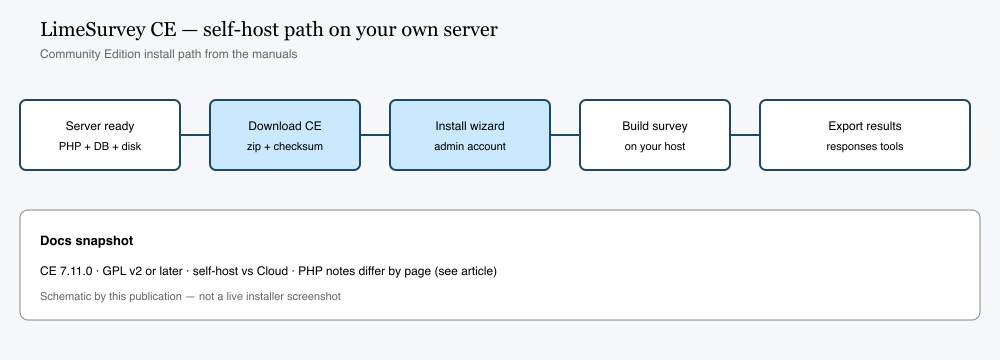
Figure: Document path prepare server → download CE → install wizard → build survey → export results. This publication, Installation - LimeSurvey CE[4]
Main install steps and maintenance duty
Main steps in the manual: download a stable archive and unpack into a dedicated folder without parentheses in the path; upload by FTP/SFTP in binary mode keeping structure and hidden .htaccess files; if the host cannot let the script create a database, create one yourself with MySQL/MariaDB utf8mb4 / utf8mb4_unicode_ci; make tmp/, upload/, and application/config/ (and their children) writable by the web server; open the install URL, choose language, accept the licence, pass the pre-check, and write database settings and the admin account.[4] Then sign in at …/admin using the credentials set in the wizard.[4] Afterward, updates, backups, and operations stay with your team; downloads mention ComfortUpdate as an optional helper for self-hosted updates.[3][4] Firewall, TLS, and OS hardening fall outside this install-path guide.[1]
Exporting results and self-host boundaries
When responses are in, export to Excel or .csv, SPSS, or R. For filters and imports, use the current Export responses and related instructions.[5] Use the export responses/results menu in your installed version and the newer docs rather than old screenshots alone.[5] Self-hosting also means access control and backups are yours; allow for server running costs and possible IT labour—complex surveys sometimes favour outsourcing to Cloud as a resource choice, not a feature verdict.[1]
When data must stay on your own servers: decide CE versus Cloud from the comparison page, obtain CE 7.11.0 under the GPL, check both PHP floors plus disk, database, and extension lists, prepare writable directories, run the wizard, export results, and schedule your own updates.[1][2][3][4][5]
References
-
LimeSurvey Manual. Cloud vs CE.
-
LimeSurvey Manual. License.
-
LimeSurvey Community. Downloads.
-
LimeSurvey Manual. Installation - LimeSurvey CE.
-
LimeSurvey Manual. Exporting results.