Proposals and preregistrations often need a planned sample size. GPower, from the Allgemeine Psychologie und Arbeitspsychologie group at Heinrich Heine University Düsseldorf, is free for everyone—including people in commercial settings—but may not be sold; other redistribution needs the authors’ permission.[1] Screenshots may be used without asking.[1] This walkthrough uses Windows 3.1.9.7 (17 March 2020) and macOS 3.1.9.6 (21 February 2020). The macOS build is for Intel and Apple expected support for Intel apps to continue until macOS 28. Check compatibility with your macOS version before installing.[1] The GPower 3.1 manual dated 1 June 2023 covers some tests in more detail than others. Check for a newer manual if you need help with a different test.[2] For an a priori estimate, choose the test and specify the effect size and statistical power your design calls for.[1][2]
Three steps and five analysis types
The manual’s usual workflow has three steps: (1) select the statistical test; (2) choose one of five power-analysis types; (3) enter the required inputs and click Calculate.[2] The five types are A priori (N from power 1−β, α, and the population effect size to detect); Compromise (α and 1−β from effect size, N, and q=β/α); Criterion (α and the decision criterion from 1−β, effect size, and N); Post-hoc (1−β from α, effect size, and N); and Sensitivity (effect size from α, 1−β, and N).[2] Pre-study sample-size planning uses A priori; the main window then shows a priori inputs and outputs—typically 1−β, α, and effect size in, N out.[2] Changing Type of power analysis swaps the fields. The manual also notes that one parameter (α, power, effect size, or sample size) can be plotted against another to explore the parameter space.[2]
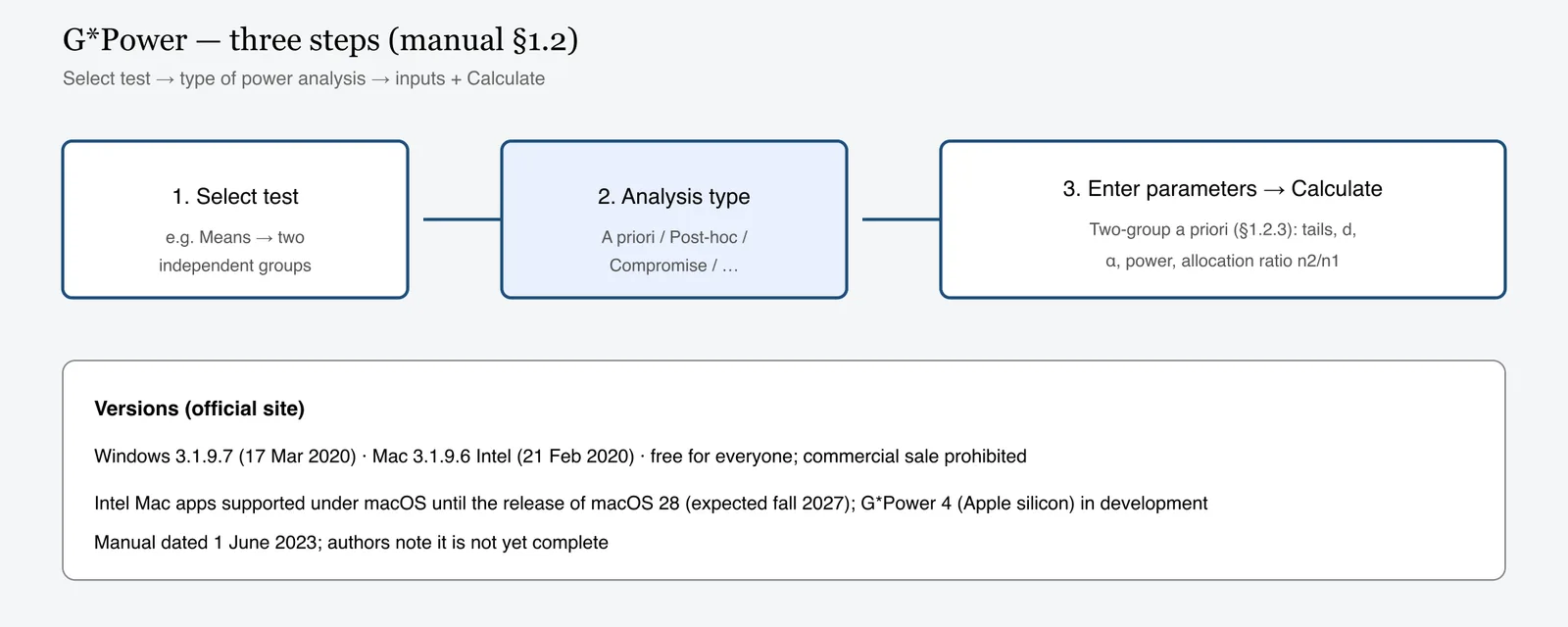
Figure: Schematic of the three-step G*Power workflow in the manual. Drawn by this publication, after G*Power 3.1 manual[2]
Finding the two-independent-groups test
Test selection has two routes. Distribution-based: pick the family by distribution (F, t, χ², z, or exact), then the listed test—for the two-group t-test, choose the t family, then Means: Difference between two independent means (two groups).[2] Design-based: use the top Tests menu to pick the parameter class (correlations and regression, means, proportions, or variances) and the study design (groups, independent vs dependent samples, and so on); options for the same class sit together. The manual’s example is Tests → Means → Two independent groups.[2] Both routes target the same kind of test; the a priori fields below follow the design-based path.[2]
A priori: two-independent-means t-test
Section 21: the two-sample t-test asks whether means μ1 and μ2 of two independent normal populations are equal; SDs are unknown and estimated from data; use two tails when the sign of the deviation is unrestricted, otherwise one tail.[2] Effect size d is (μ1−μ2)/σ. Determine opens a drawer to compute d from means and SDs; the test assumes equal variances and is relatively robust when sample sizes are equal, using a pooled σ′; with substantially unequal group sizes, the pooled approach can give a misleading power estimate.[2] Cohen’s small/medium/large d ≈ 0.2/0.5/0.8 are conventional labels, not values the software chooses for you.[2] For a two-group t-test, enter the number of tails, Cohen’s d under H1, α, required power (1−β), and allocation ratio n2/n1 in the lower left. An illustrative input set is one-tailed, d=.5, α=.05, (1−β)=.95, and n2/n1=1. Choose the parameters appropriate to your own study.[2] With Type of power analysis set to A priori, enter those inputs and Calculate for total sample size among other outputs.[2]
When reporting a GPower analysis, cite Faul et al. (2007) for GPower 3, Faul et al. (2009) for G*Power 3.1, or both as appropriate.[1][3][4] Report the version used, the selected test, the input parameters, and the resulting sample size.[1][2]
Pre-experiment sample-size planning in G*Power means choosing the right test (for example Means → Two independent groups) and A priori, entering α, power and effect size d you decide—optionally via Determine from means and SDs—then Calculate.[1][2] Two-independent-means fields follow the manual; builds and licence terms follow the current official site.[1][2]
References
-
Heinrich Heine University Düsseldorf, AAP. G*Power.
-
G*Power Team (2023-06-01). G*Power 3.1 manual.
-
Faul, F., Erdfelder, E., Lang, A.-G., & Buchner, A. (2007). G*Power 3. Behavior Research Methods.
-
Faul, F., Erdfelder, E., Buchner, A., & Lang, A.-G. (2009). Statistical power analyses using G*Power 3.1. Behavior Research Methods.
-
Faul, F., Erdfelder, E., Lang, A.-G., & Buchner, A. (2007). G*Power 3. Behavior Research Methods.