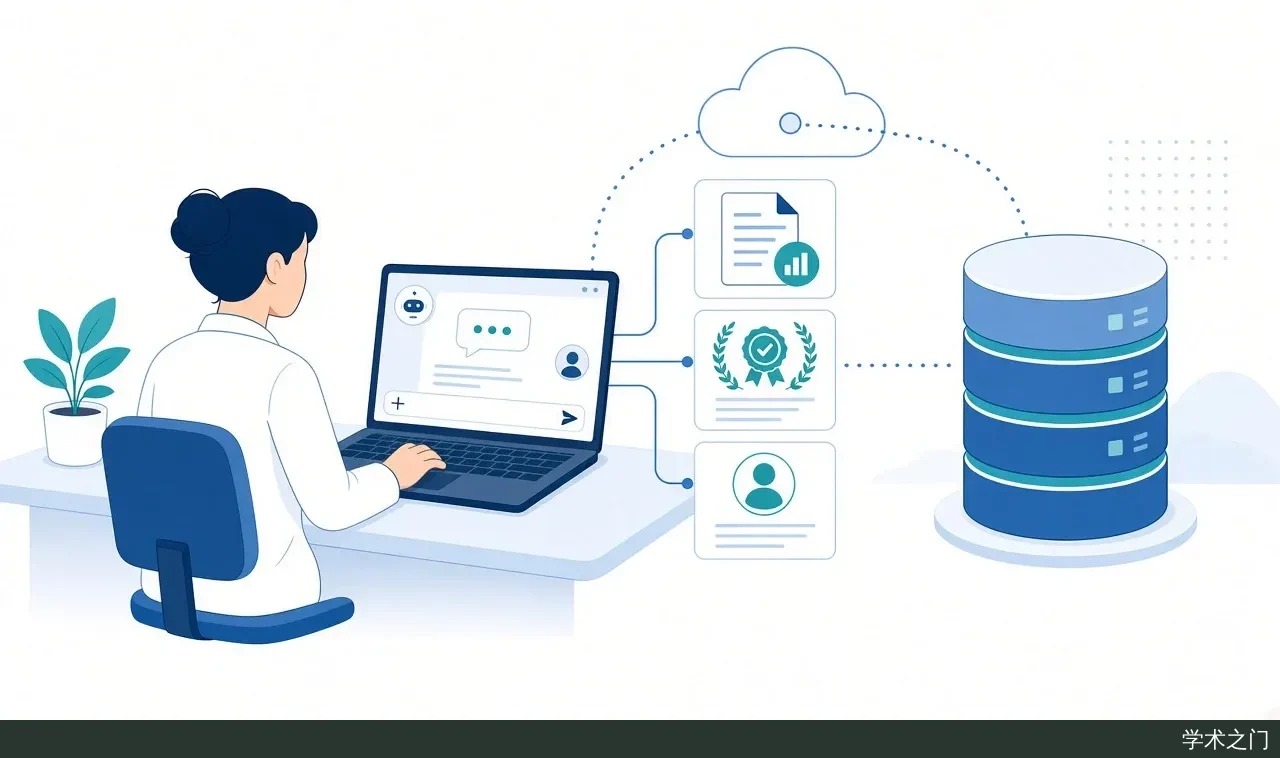
AI-generated schematic: a researcher retrieves publication, funding, and researcher records via a cloud connection inside an AI assistant chat—not a real Dimensions software UI.
On 23 October 2026, Dimensions published a product update launching the Analytics MCP hosted server. Users who already have Dimensions Analytics API access can connect MCP clients such as Cursor, VS Code, Windsurf, and Claude Code straight to the hosted endpoint with their existing API key—no local Node.js service required—and search publication, funding, and researcher records in natural language or DSL. This article covers setup steps, what you can query, and usage boundaries.
From local deployment to a hosted endpoint
Dimensions is a research database that interlinks records for publications, funding, researchers, institutions, and more. Analytics MCP is an MCP (Model Context Protocol) connector that wires that database into AI assistants: in a conversation, the assistant calls the Dimensions Analytics API to run searches and aggregations for the user. Previously, using this connector meant running a Node.js-based local MCP service on your own machine, so install, upgrade, and troubleshooting all fell on the user. The 23 October update provides the hosted endpoint https://app.dimensions.ai/mcp, using Streamable HTTP transport and the same Analytics API key for authentication; the client only needs the URL and request headers, with no local process to maintain.
It complements the Dimensions web app: the web UI suits browsing and exporting item by item, while MCP suits asking, follow-up questions, and summaries inside coding or review assistant sessions. Scite MCP, covered on this site yesterday, addresses “what does this citation actually say in the source context”; Dimensions Analytics MCP focuses on “which related papers, grants, and researchers exist across the full database.” Note also that Dimensions’ product pages list a Semantic Search MCP—a separate product aimed at life-science ontology search; this article discusses only the Analytics MCP hosted-endpoint update.
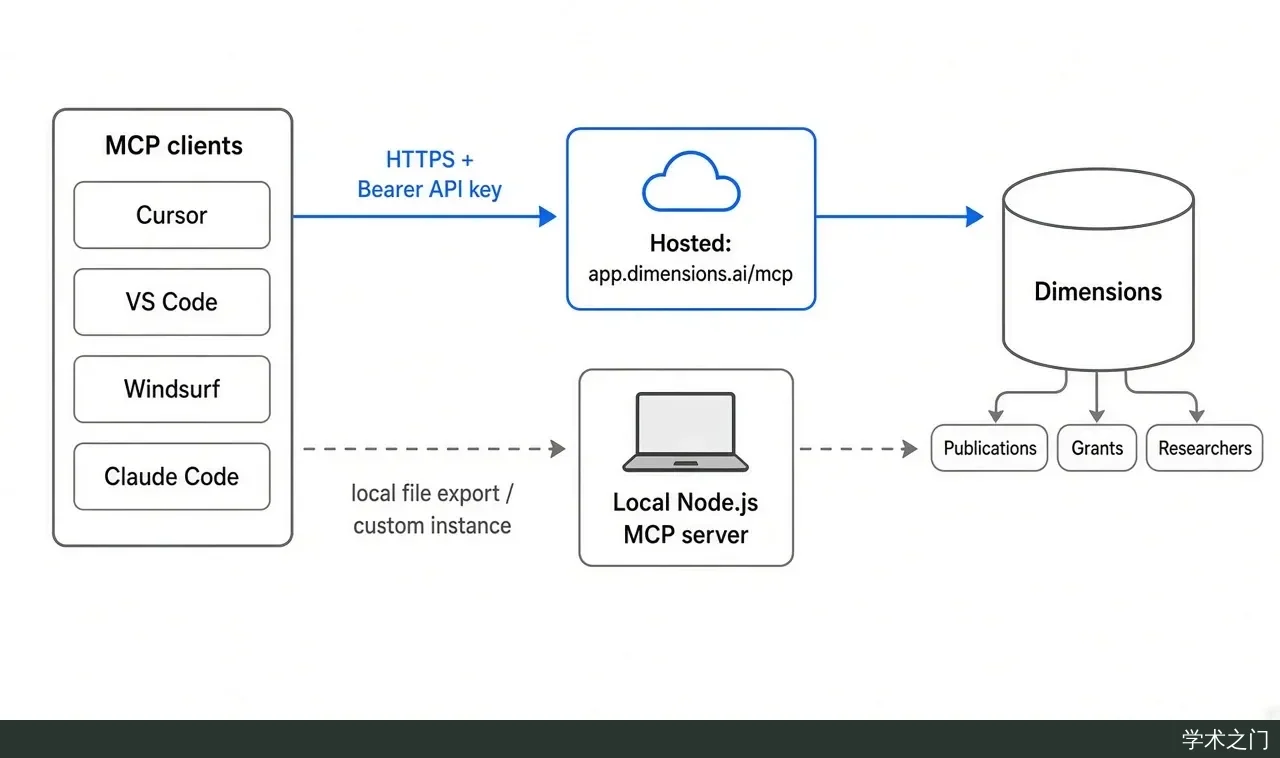
AI-generated schematic: two paths for MCP clients to reach Dimensions—above, direct Bearer-key connection via the hosted endpoint app.dimensions.ai/mcp; below, via a local Node.js service (for exporting local files or custom instances); based on the official product update and documentation.
Hosted setup steps and search examples
Scope and prerequisites
- Account: Dimensions Analytics API already enabled (subscription), with an API key available.
- Client: an MCP client that supports Streamable HTTP and custom request headers. The official guided installer can now choose the hosted endpoint for Cursor, VS Code, and Windsurf (the installer still defaults to local); clients that support API keys, such as Claude Code and Codex CLI, can be configured by hand.
- Instance: the standard hosted endpoint only serves
app.dimensions.ai. Users on institution-custom Dimensions instances should follow the docs and use the local server or another deployment form described there.
Setup steps
- Obtain an Analytics API key from your Dimensions account.
- Run the official guided installer and select the hosted endpoint; or add the server manually in the client config file.
- For Cursor, for example, write the hosted URL and auth header into
~/.cursor/mcp.json. Below is an illustrative config distilled from the docs; the server name is arbitrary, and replaceyour-api-keywith your own key:
{
  "mcpServers": {
    "dimensions": {
      "url": "https://app.dimensions.ai/mcp",
      "headers": {
        "Authorization": "Bearer your-api-key"
      }
    }
  }
}
- Reload the client and confirm in the MCP settings panel that the server is connected and lists tools.
The key is equivalent to account credentials: do not put it in project-level config that may be committed to a public repo, and do not paste it into chats or screenshots.
Search examples
Example prompts from the documentation include:
Find the 20 most-cited publications on CRISPR gene editing since 2020.
Similarly, you can ask the assistant to search funding from NIH and other agencies, look up a single record by DOI, or run citation trends and facet stats on a topic; after a first pass, follow up to narrow year, field, or institution. Documentation examples point to tools such as search_publications (search publications) and describe_schema (inspect queryable field structure); users who know Dimensions DSL can also supply DSL queries directly.
Verification note
This article is based on the official product update and MCP docs; we did not enable an account for hands-on testing, and the config and prompts above were not executed in this environment. After connecting, start with a small query on a known DOI, compare the title, year, and citation count returned by the assistant with the same record on the Dimensions web UI, and only then scale up to batch analysis once connection and field interpretation look correct.
Subscription barrier and usage limits
Hosted and local endpoints offer largely the same tools; differences concentrate on deployment and export:
| Comparison | Hosted | Local |
|---|---|---|
| Deployment | No local process; fill in URL and key | Run a Node.js service locally |
Export to local files (fetch_search_pages) |
Not provided | Provided |
| Custom Dimensions instance | Standard hosted serves only app.dimensions.ai |
Configurable |
| Guided installer default | Must select manually | Default option |
On client compatibility, the hosted endpoint relies on API-key auth, so ChatGPT cannot connect for now: its custom MCP only supports OAuth or unauthenticated modes. Custom connectors in Claude Desktop and claude.ai have the same limit; official guidance is to use the Claude Desktop extension package instead.
Other boundaries to know up front:
- Subscription barrier: Analytics API is subscription-based; MCP is for users who already have API access. Free web accounts cannot use it directly.
- Rate limits: Calls are subject to API rate limits; large batch stats should be split into queries, or exported via the local endpoint for offline processing.
- Cross-check results: AI assistants may misread fields, drop filters, or confuse counting definitions. Numbers and citations written into papers or proposals should be checked against the original Dimensions records.
References
-
Dimensions Product updates. Dimensions Analytics MCP hosted server and API documentation updates. Published: 2026-10-23.
-
Dimensions. Dimensions Analytics MCP. Page marked last updated: 2026-10-15.
-
Dimensions. Dimensions MCPs. Page has no publication date.
-
Academic Gateway · a living guide for scholars in the intelligent age
-
Information compiled and published by the Scholay academic one-stop platform; report infringement for takedown.
-
Also published on Enter Scholar, a scholars’ community for the intelligent age