Project overview
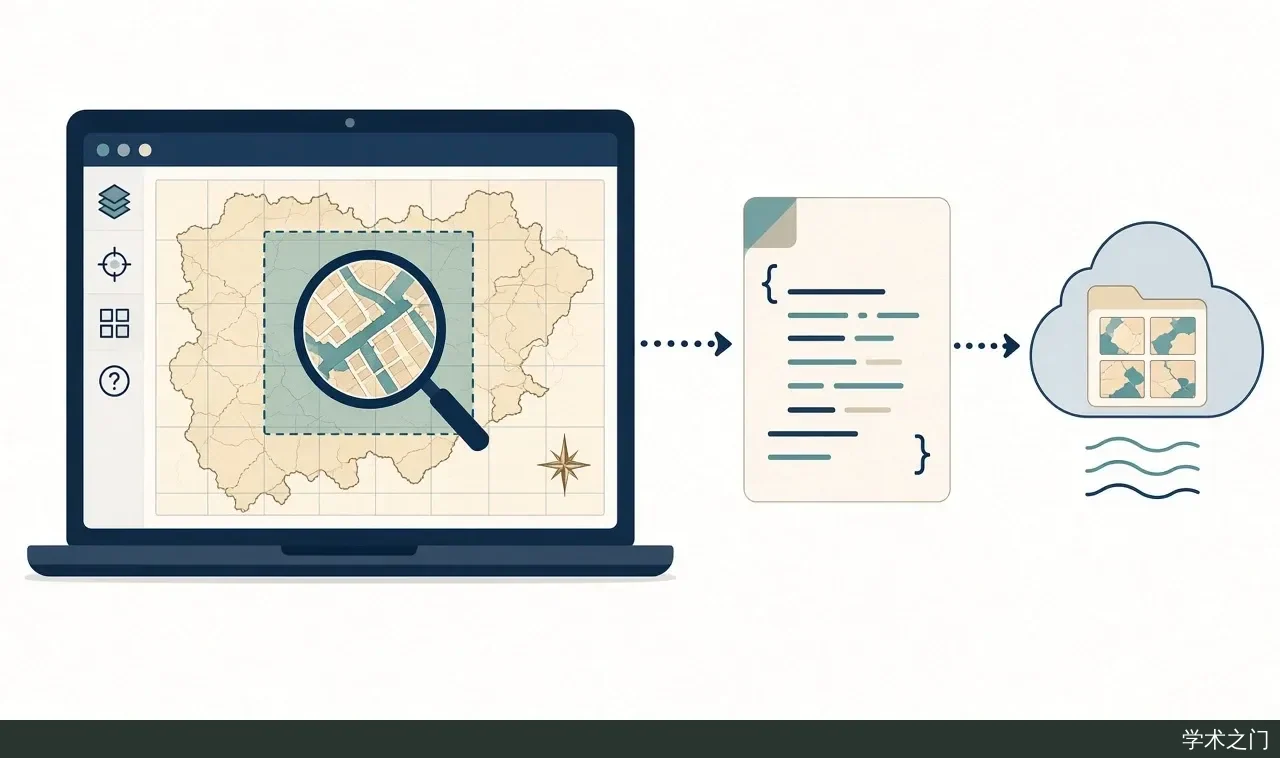
Figure: AI-generated schematic—zooming into a tile of a historical image in an IIIF viewer; the manifest describes the image; tiles are hosted on a static site such as GitHub Pages.
On 24 September 2026 Programming Historian published a peer-reviewed lesson on turning local images into Level-0–compliant IIIF images and manifests with free open-source tools, then hosting them on GitHub Pages for zoom, display, and cross-site reuse in compatible viewers. The lesson offers three production paths by difficulty, aimed at humanists and librarians who want to avoid a dedicated image server.
Course overview and core IIIF ideas
The full title is Creating and Hosting Basic IIIF Images and Manifests Using GitHub. Author Kiran Mohammadi-Williams is a Collections as Data librarian at Cornell University; editors are Giulia Osti and Alex Wermer-Colan; reviewers are Winnie E. Pérez Martinez and John P.T. Moore; license CC-BY 4.0. The Programming Historian lesson catalog marks difficulty 2 (middle of three levels).
IIIF (International Image Interoperability Framework) is a family of open standards for delivering high-quality, attributed digital objects online. The lesson mainly uses two: the Image API specifies which part of an image and at what size a server serves; the Presentation API specifies order and descriptive metadata for viewers. A manifest is a Presentation API JSON file that records metadata, display order, and dimensions for one image or a set. The lesson notes that some tools, digital exhibition platforms, and viewers accept only manifests, not bare image files.
All images the lesson produces are Level-0 compliant. Per IIIF Image API 3.0 compliance notes, Level 0 is the minimum feature set for compliance: the service need only provide sizes and tiles declared in advance in info.json. The lesson therefore uses pre-generated static files instead of a dynamic image server, hosted on ordinary sites such as GitHub Pages; GitHub Pages returns permissive CORS headers by default, so third-party viewers can read the files. The author also cites another reason for GitHub: after network attacks in September 2024, the Internet Archive paused service for months, leaving users who relied on it for automatic IIIF generation needing another free option.
Three production paths and manifests
The lesson splits image production into three paths from easiest to hardest. Choose by four factors: comfort with the command line, experience editing JSON, number of images, and whether you need specific tiling or display behavior. The author notes all three take substantial processing time, so time is not used as a comparison factor.
- Path 1: Host static images directly on GitHub Pages. Upload images to a repository and enable Pages—no programming, no software install. Trade-offs: no deep zoom, no rotate or region crop, poor fit for large high-resolution images, and upload only one file at a time.
- Path 2: IIIF Workbench. A browser tool by IIIF Technical Coordinator Glen Robson: upload an image, tile it, and store tiles in your own GitHub repository, with basic deep zoom. Limits: slow tiling, occasional hangs on “Generating tiles,” no GitHub organization accounts, single files under 100 MB, no batch upload.
- Path 3: Tile with libvips on the command line, then host on GitHub Pages. libvips generates IIIF-layout tiles with control over tile size, overlap, and similar parameters—good for batches. It requires comfort with the command line and JSON; after upload you must manually change the id in info.json to the GitHub Pages URL; install examples in the lesson use macOS and Homebrew.
Once images are ready, write a manifest from the lesson’s IIIF v3 template or generate one with a web editor: Digirati Manifest Editor supports v2 and v3 and defaults to v3; the Bodleian editor supports v2 only. Workbench folds all project images into one manifest; for one manifest per image you still build them separately. After uploading the manifest, paste its URI into Mirador, Universal Viewer, Theseus, Clover, or similar viewers to check the result.
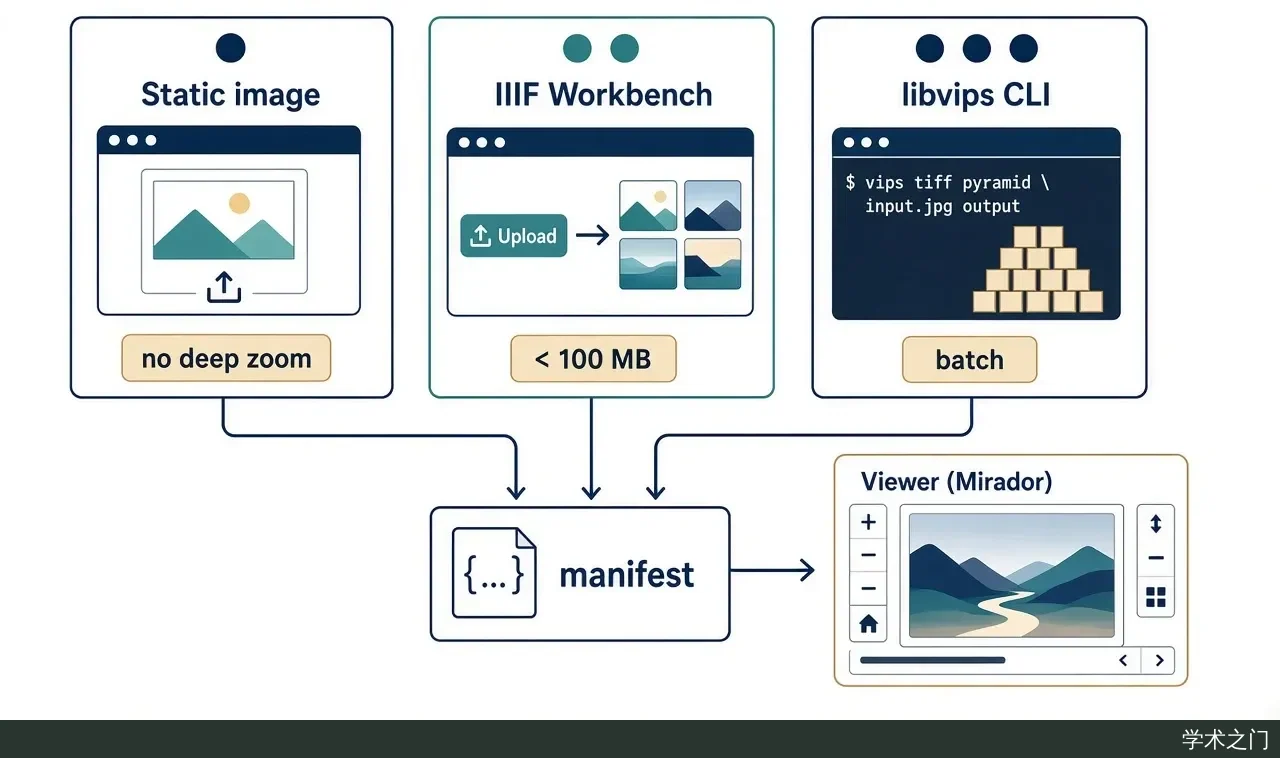
Figure: AI-generated schematic of the three easiest-to-hardest IIIF image paths in the Programming Historian lesson. Static upload has no deep zoom; IIIF Workbench limits single files to under 100 MB; libvips on the command line can batch-tile; all three ultimately open via a manifest in viewers such as Mirador. Content drawn from the lesson page.
Why it helps
The lesson’s value is shrinking institutional-scale IIIF publishing to something individuals and small projects can afford. Per the IIIF site, the standards are funded by a global consortium of 70 members and widely used by national libraries, archives, museums, and research institutions; Level-0 plus GitHub Pages needs no rented or maintained image server, and the lesson states that none of the paths charges for processing or hosting. Finished manifest URIs can go into compatible viewers or exhibition tools (the lesson cites Exhibit.so and Storiiies), for comparison, annotation, and sharing alongside institutional collections in the same interfaces. The lesson also reminds authors to record image source, rights holders, and license in the manifest’s rights (v3) or license (v2) fields so others can judge reuse.
Earlier courses covered on this site were mostly general data, statistics, and methods training, or Wikidata-based linked open data introductions; this lesson focuses on something else: making images themselves interoperable across sites and tools.
Entry, barriers, and limits
- Entry and license: The lesson page is in English and free to read online; released under CC-BY 4.0—adapt and reuse with attribution.
- Learning barriers: You need a GitHub account and basic repository skills, a stable network, and at least one local image you have rights to use; the lesson suggests Openverse for findable images. It is written for macOS; Windows and Linux users must map file-manager or command-line steps themselves—the lesson does not expand on them. Path 3 also requires Homebrew, Ghostscript, ImageMagick, and libvips; readers new to the command line are pointed first to Programming Historian’s Bash intro.
- Capability limits: Level-0 can only serve pre-generated sizes and tiles—not arbitrary crop, scale, or rotate on request like a full image server. Path 1 has no deep zoom; Workbench is slow and can fail; the libvips path has a steep curve, and batch tiling is only a bash example without step-by-step detail.
- Verification note: This article is compiled from the lesson page, lesson catalog, and IIIF official docs (checked 2026-10-28); the three paths were not run hands-on.
References
-
Mohammadi-Williams, Kiran. Creating and Hosting Basic IIIF Images and Manifests Using GitHub. Programming Historian, 2026-09-24. CC-BY 4.0.
-
Programming Historian. Lessons. Accessed 2026-10-28.
-
IIIF. International Image Interoperability Framework. Accessed 2026-10-28.
-
IIIF. Image API Compliance, Version 3.0.0. Accessed 2026-10-28.
-
Academic Gateway · a living guide for scholars in the intelligent age
-
Information compiled and published by the Scholay academic one-stop platform; report infringement for takedown.
-
Also published on Enter Scholar, a scholars’ community for the intelligent age